Best Minecraft Mods for Building Mega Bases (2025 Updated)
Best Minecraft Mods for Building Mega Bases (2025 Updated)

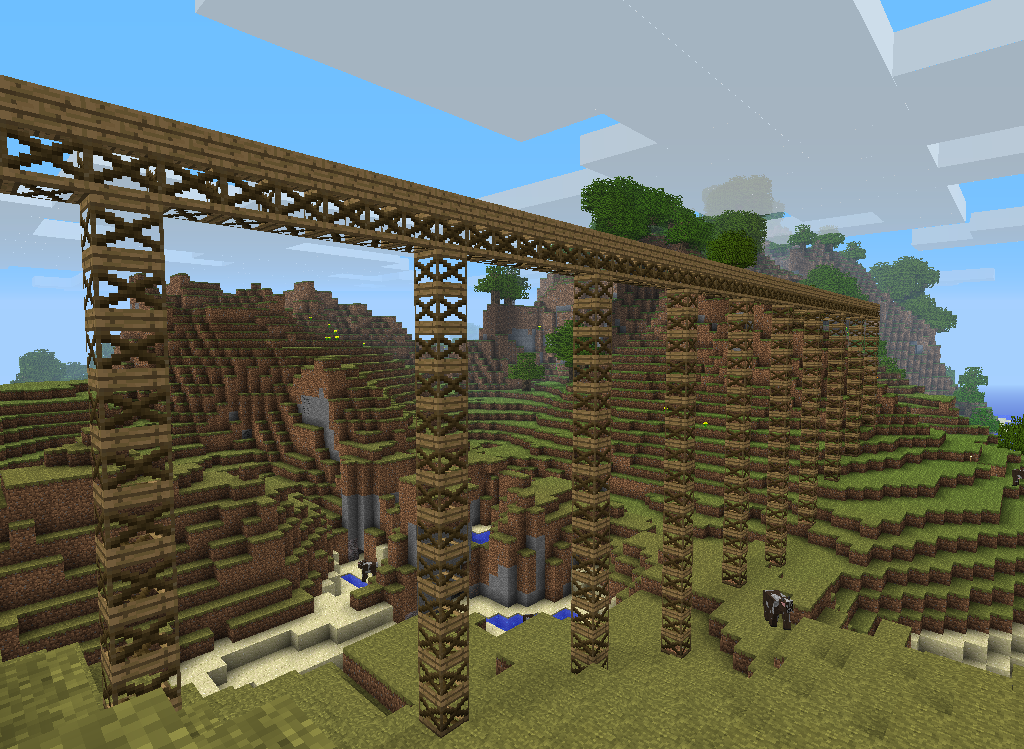


Creating mega bases in Minecraft goes beyond placing blocks — it involves planning large structures, rapid construction, efficient scaffolding, aesthetic detailing, and often automation. With the right mods, you can streamline building processes, access powerful tools, and bring ambitious architectural visions to life.
Below is a comprehensive guide to the best Minecraft mods for building mega bases in 2025, whether you’re focused on functional command centers, sprawling castles, automated factories, or beautiful cities.
1. WorldEdit / Fast Builders (Java & Fabric Variants)
Overview: The quintessential building mod: WorldEdit allows fast selection, copying, pasting, and transformation of structures. For Fabric users, optimized alternatives (like Fast Builders) bring similar power with better performance.
Why It’s Essential:
Massive area edits in seconds
Symmetry tools (rotate, flip, align)
Replace, fill, hollow, smooth — ideal for base shaping
Build Impact: Cuts manual work dramatically on large base projects.
2. Architectural Craft / Chisel-Like Mods
Overview: Adds a suite of decorative blocks, shapes, and detail variants that empower creative building aesthetics without heavy resource packs.
Key Benefits:
Sloped blocks, pillars, detailed panels
Fine artistic control over walls, roofs, ornaments
Enables complex façades and realistic designs
Build Impact: Turns bulky structures into visually striking builds.
3. BuildAssist / Placement Enhancers
Overview: Mods that improve block placement behavior — for example, placing scaffolding, rotating blocks quickly, or placing multiple blocks at once.
Features:
Smart placement (along axes, mirrored)
Quick rotation / orientation tools
Auto-stacking patterns
Build Impact: Improves construction speed and reduces repetitive tasks.
4. Schematica (or Litematica)
Overview: Recreate builds from schematics — layer guides that help you build block-by-block with visual overlays.
Why It’s Powerful:
Ghost preview of your build in-world
Build guides by layer
Import community schematics
Build Impact: Great for planned mega base layouts.
5. Inventory & Construction Helpers
Inventory Tweaks / Container Helpers
Improves inventory management with auto-sorting and fast retrieval of building blocks.
Building Gadgets
A must-have mod that lets you:
Place entire walls with a single gadget click
Set a building range & paint blocks in bulk
Replace blocks quickly without manual labor
Build Impact: Speeds up construction and block placement operations.
6. Mine Colonies / Project Management Mods
Overview: Turn NPCs into workers that gather materials, build structures, and manage base tasks.
How It Helps Builders:
Automated resource gathering
Delegated construction tasks
Workforce management for sprawling projects
Build Impact: Adds a macro layer where your base builds itself.
7. Blueprinting & Planning Tools
BuildPlanner Mods
Assist in planning large bases with schematics, zones, and action lists.
Export plans and share them with teammates.
Build Impact: Great for collaborative and complex architecture.
8. Decorative & Thematic Packs
While not strictly tools, many mods expand block types, colors, and themes that make mega bases visually iconic:
Chisel / Variants – thousands of decorative block styles
Oh The Biomes You’ll Build – adds theme-appropriate materials
Quark / Decorative Additions – extra props and details
Build Impact: Aesthetic richness at a large scale.
9. Redstone & Automation Enhancers
Even mega bases need functionality:
Redstone Flux Mods – advanced signal logic
Automation suites – energy networks, item transport, resource processing
Build Impact: Integrates high-tech systems without compromising base design.
10. Performance & Optimization Helpers
Large builds can strain performance. These mods keep your world comfortable:
Sodium / Phosphor / Lithium (Fabric) — FPS & lighting optimization
Chunk-loading Managers — ensure base systems stay active
Build Impact: Smooth building even with massive structures.
How to Combine These Mods
Select a Mod Loader: Fabric or Forge, matched to your Minecraft version (e.g., 1.21+).
Install Core Build Tools: Start with WorldEdit / Litematica / Building Gadgets.
Add Aesthetic Packs: Decorative mods to give your build unique style.
Add Helpers: Inventory management, placement tools, and performance mods.
Plan Before You Build: Use schematics and overlay tools to map out your mega base.
Example Build Workflow
Macro Plan: Draft layout using schematics.
Foundation & Structure: Use WorldEdit / Building Gadgets.
Detail & Decor: Apply decorative blocks and accents.
Interior & Functionality: Add automation, redstone, and NPC workers.
Optimization: Use performance mods to maintain smooth gameplay.
Conclusion
Mega bases are ambitious and rewarding projects — and with the right set of mods in 2025, you can streamline building, enhance creativity, automate tasks, and create stunning structures efficiently. Whether your goal is an automated fortress, a sprawling city, or a high-tech command hub, this toolkit will help you execute complex builds with clarity and speed.


Comments
Post a Comment